
Selling · Guide 214 of 624
Add a new customer
Add a customer once in RockifyERP and their details are reused on every quotation, order and invoice.
How to do it in RockifyERP
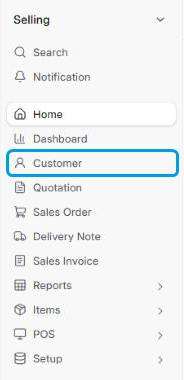
- Go to Selling › Customer and click + Add Customer.
- Enter the Customer Name exactly as it should appear on invoices.
- Choose the Customer Type, Customer Group and Territory.
- Enter their tax number (KRA PIN, TIN or VAT number) in Tax ID.
- Save, then add contacts, addresses, credit limit and payment terms.
Tip: Search before you add. Duplicate customers split history and confuse statements.
Need more help with RockifyERP?
Can’t find what you’re looking for? The RockifyERP support team can walk you through it. Contact RockifyERP support.